Mobile Printing
Print from your laptop, tablet or phone
Prints will be held for 24 hours and must be picked up during regular business hours.
Black & White – .25 per page
Color- .50 per page
Option 1: Email
Use the share/send function on your mobile device to send the file via email OR simply forward an email with attachment(s) to either:
- bw-bethelpark@eprintitsaas.com (for Black & White)
- color-bethelpark@eprintitsaas.com
Option 2: Web Link
- Go to https://bethelpark.eprintitsaas.com/public/upload
- Click on Select Files to find your document
- Choose your Print Job Settings (number of copies; color or grayscale (b&w)
- Enter your First and Last name
- Click SUBMIT
- Come to the Bethel Park Library during regular business hours to have your job printed within 24 hours
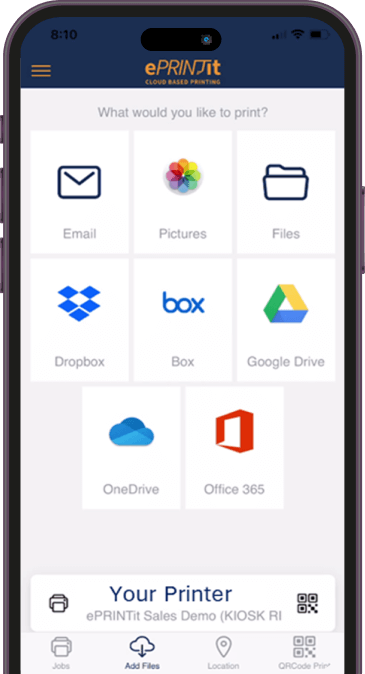
Option 3: Mobile App
Download the free ePRINTitSaaS app for Apple or Android:
- Select from menu “What would you like to print?”
- Choose your location
- Choose print Job Settings to enter number of copies, greyscale or color
- Enter name or library card number
- Press SUBMIT
- You will receive an email that it has been received
- Go to Bethel Park Library to pick up